

Outlook

How Data-Driven Decision-Making Transforms Downtown Districts.

And How District360 Helps.

Running a downtown district is full-body, full-brain work. One minute you are answering a business owner’s question about signage permits, the next you are coordinating a sidewalk cleanup. Your team is at the center of it all: public safety, beautification, community events, and tracking down the owner of that vacant building on Main Street. Everyone is committed. Without a clear view of what is happening and where, though, commitment alone only goes so far. This piece is about what changes when your team gets that view.

Why this matters
Your team works hard. Data is what makes the work visible.
Downtown teams are full of knowledge, but too much of it lives in someone’s inbox, a personal Gmail folder, or in the memory of a long-tenured staff member. When that knowledge is not organized and shared, the team is always reactive. The districts that have shifted to structured, centralized data are spending less time chasing information and more time acting on it.
Why data matters Why it feels hard All six capabilities Big picture FAQ

The work is visible. The data that explains it often isn’t.

Every downtown team understands the value of what they do. The harder question is knowing what is working, what is slipping, and where to focus next, and that is where data becomes strategy rather than just record-keeping.

The kinds of data that make the biggest difference are rarely exotic. Property details, business profiles, service request patterns, public asset conditions, community engagement signals, board rosters and contacts: none of it is complicated on its own. What makes it powerful is having it organized in one place, connected to everything else it touches, and available to everyone on the team who needs it.

Without that, the team is often more reactive than it wants to be. A report gets pulled before a board meeting and it takes two days of emailing. A property inquiry comes in and nobody is sure who owns the building on the corner. A maintenance issue comes up and the records say the asset was inspected last year, but nobody can find where that lives. None of these are failures of effort. They are failures of organization. Data, properly structured, fixes the organization problem so effort can go toward the real work.

A downtown district team at work, supported by organized data and clear operational visibility

The problem is rarely a shortage of data. It is a shortage of organization.

Most place-management organizations want to be data-driven. The reality is that collecting, organizing, and actually using data is harder to sustain than it looks from the outside, especially when the team is already stretched across everything else.

The patterns tend to look familiar across districts. Property and assessment information stored across a dozen spreadsheet tabs. Business lists kept in someone’s personal email. Staff running across the office to find out whether a maintenance log exists for a particular asset. That one long-tenured team member who carries years of institutional knowledge entirely in their head, and whom everyone tacitly relies on because the formal systems never quite caught up.

Even when data does get collected, it tends to scatter. It ends up in different folders, different systems, different formats, and by the time someone pulls it all together, the situation on the ground may have already changed. The gap between collecting data and using it to make decisions is wider than most teams want to admit, and closing that gap is not a technology problem so much as a structural one.

The challenge of scattered data across spreadsheets, email folders, and informal systems in downtown organizations
The team knows things the system does not.

In most downtown organizations, critical knowledge lives in someone’s head, someone’s inbox, or someone’s notebook, and never makes it into a shared record. When that person is out of the office, or leaves the organization, the knowledge goes with them.

Building institutional memory into a shared system is the work underneath the work. It is not glamorous, but it is what allows a team to scale, to onboard new staff without a six-month shadow period, and to answer questions from stakeholders without scrambling.

Six capabilities that change how downtown teams operate.

A well-organized data system does not just store information. It connects everything that was previously isolated so that looking at one thing reveals everything related to it, without a second search.

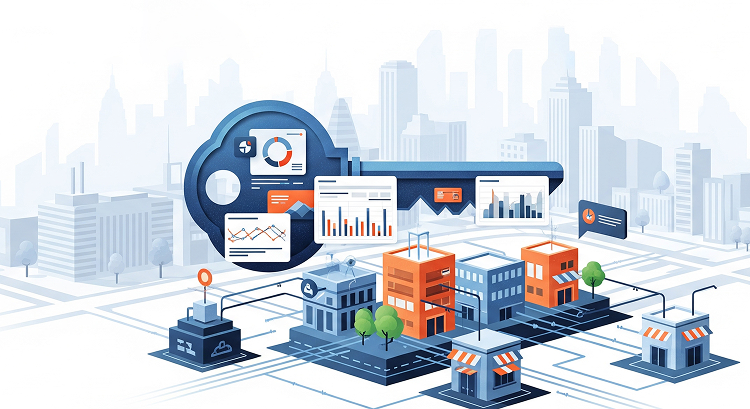
District360 organizing downtown data into one connected system
Capability 01

Property and business intelligence

Instead of juggling multiple spreadsheets, a unified system gives your team one organized view of every property and business in the district. Search, filter, and update in real time. Vacant properties, ownership by entity, construction status, active businesses by category, all of it a few clicks away.

  • Who owns what, including when that changed
  • Which properties are vacant or under construction
  • Business hours, industry, lease status, and engagement history

Capability 02

Public asset tracking

No more wondering where the last wayfinding sign was installed or which trash cans are due for replacement. Map, inventory, and track every bench, banner, planter, and fixture. This is especially useful when planning upgrades or building a maintenance budget.

  • Current condition and inspection history for each asset
  • Geographic mapping of asset locations
  • Responsibility assignments for maintenance teams
Capability 03

Case and service request management

When someone reports broken lighting or graffiti on a sidewalk, that case gets logged, assigned, tracked to resolution, and linked back to the relevant property or asset. Over time, patterns emerge: which streets have recurring issues, which assets fail on predictable timelines, where to intervene before a problem becomes a complaint.

  • Case creation from field reports or community submissions
  • Assignment and status tracking through to close
  • Trend reporting by area, type, and frequency
Capability 04

Stakeholder and contact management

From board members to local business owners, a good system lets your team track communications, manage rosters, and sync with email platforms to streamline outreach. When a new staff member joins, the history of every relationship comes with the record, not with the person who was there before.

  • Board rosters, meeting histories, and committee records
  • Communication history tied to each contact and property
  • Integration with email outreach platforms
Capability 05

Real-time field updates

When field staff can log issues and updates from wherever they are, operations managers do not have to wait until end of day to know what has changed. Graffiti removal, banner installation, a business opening its doors for the first time: all of it shows up live and in sync.

  • Mobile logging from the field with minimal required fields
  • Instant visibility for office-based operations managers
  • Records linked back to the relevant asset or property
Capability 06

Reports that actually mean something

Open service requests by type, maintenance trends, public assets due for attention, board engagement over time: these reports are not just for internal use. They are the material that makes it possible to tell your story to stakeholders, justify budget requests, and show the community the work that usually happens out of sight.

  • Real-time dashboards for operations and leadership
  • Exportable reports for board meetings and stakeholder presentations
  • Trend data that reveals patterns before they become problems
Downtown district team using data to make faster, more confident decisions
Make the case for your district with data you can actually stand behind.

We help downtown teams set up the right structures, connect the right records, and build the reports that turn operational effort into a story stakeholders can see.

Walk through your setup

Every downtown district deserves thoughtful decisions.

Data does not magically create clarity, but a well-organized system gives your team the visibility to move from reactive to proactive, from scrambling to confident. The next time you need to justify an initiative, allocate resources, or respond quickly to a challenge, the right information should already be there.

  • Where in your current workflow does information most often get lost, and who carries it unofficially right now?
  • What decision in the last six months would have been easier if the data had already been organized and ready?
  • What would your team be able to do differently if field updates were live, not reported at end of day?

Questions that come up when teams start getting serious about data.

Where should a district start if its data is currently scattered everywhere?+
It usually helps to start with the data your team reaches for most often, not with the data that is easiest to migrate. Property records and business contacts tend to surface first because they come up in almost every other kind of work. The goal of the first pass is not completeness, it is consolidation, so that the team stops maintaining multiple copies of the same record in different places.
Do we need to be on Salesforce to get these capabilities?+
District360 is built on Salesforce, which means it inherits a mature, proven platform with strong security, integration, and mobile capabilities. That said, the configuration is specific to downtown place management, so teams are not starting from a blank Salesforce instance. The platform and the downtown-specific layer come together, which is the point.
What happens to data from the tools we are already using?+
Most teams come in with some combination of spreadsheets, email platforms, and legacy databases. Migration is part of the onboarding process, not something teams are expected to figure out on their own. The more useful question to answer beforehand is which data is worth migrating at all, because cleaning a messy dataset is a good opportunity to decide what the team actually needs going forward.
How do field teams get comfortable using a mobile app during operations?+
Adoption tends to follow usefulness. If the app makes it easier to log a case in the field than to remember it and type it up later, teams use it. The setup that works best is keeping field-facing screens simple, with minimal required fields, so that capturing something takes less than a minute. Complexity at the logging stage is the fastest way to drive teams back to notebooks and end-of-day batch updates.
How long does it take before the reports actually feel useful?+
It depends on how consistently the team is logging. Districts that are disciplined about closing cases and updating records usually start seeing meaningful trend reports within two to three months. The first reports are often most useful not because the data is perfect, but because they reveal where the gaps are, which is itself actionable information. The report that shows you what you are not capturing is as valuable as the report that shows you what you are.

Continue reading.

Ready to see what your district looks like when the data is working for you?

We are happy to walk through what this looks like in practice.

Talk To An Expert